SecAIQ Watch for Mac: A Native App That Shows What Your AI Tools Are Doing
SecAIQ Watch is now a native Mac app: download it, open it and see which AI tools run on your Mac, what they can access and where they connect, all locally and read-only.

AI assistants and coding agents are powerful because they act directly on your computer. They read files, run commands and connect to the network with your account's permissions. Most of that activity happens out of sight.
In September we released SecAIQ Watch as an open-source dashboard for people comfortable with PHP and a terminal. Many of you asked for something you could simply download and open. SecAIQ Watch for Mac is that: a native app with the same goal, and a lot more built in.
Watch the 4-minute walkthrough on YouTube. All screens show sample data.
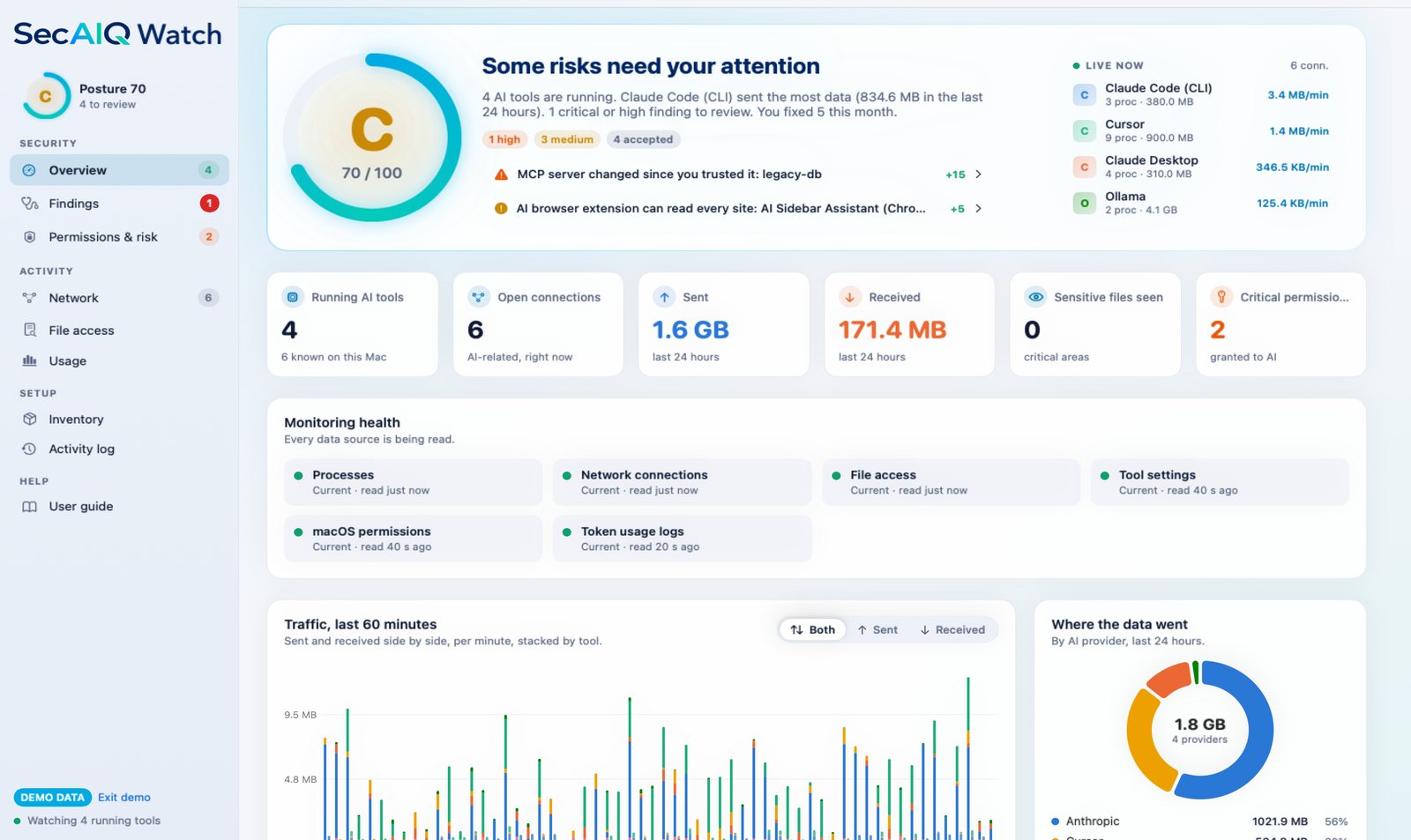
What it shows you
- Every AI tool on your Mac. Running and installed tools, command-line agents, desktop apps, IDE assistants and MCP servers. About 40 tool families are recognised.
- What each tool can access. A permissions matrix that separates access that was actually observed from access that was granted, inherited or only theoretical. A tool that could read your API keys is not necessarily a tool that did, and the app keeps that difference visible. It also lists permission changes since your first scan.
- How freely each tool can act. An Approvals view reads each tool's own settings and notices risky start-up options such as
--dangerously-skip-permissionsor YOLO modes, so you can compare your tools in one place. - Where they connect. Connections, destinations and data volumes attributed to each AI tool, with a process tree that shows which tool started a connection. A session can be exported as an incident report.
- How it all fits together. A topology map of your AI tools, the MCP servers they load and the providers they talk to, plus an access map that shows which tool reaches which sensitive area.

From seeing to fixing
Findings are written in plain language, with the evidence behind each one and a history of what you have resolved. Some findings offer an optional fix, such as adding a deny rule for Claude Code. Fixes are separate from monitoring: they never run automatically, the original file is backed up first, and the change can be undone.
It stays out of your way
You do not need to keep the main window open. The menu bar window shows your posture, the running AI tools and traffic at a glance. You choose which notifications you want: new MCP servers, new AI extensions, new network destinations, upload and cost limits. Quiet hours reduce interruptions while critical alerts still reach you, and an optional weekly summary is available.
The app can also export a developer security report (what to fix first, what each tool can reach, MCP server trust and recent permission changes) and, for Claude Code and Codex, show token use, estimated cost, models and projects. Only counters are kept, never your prompts.
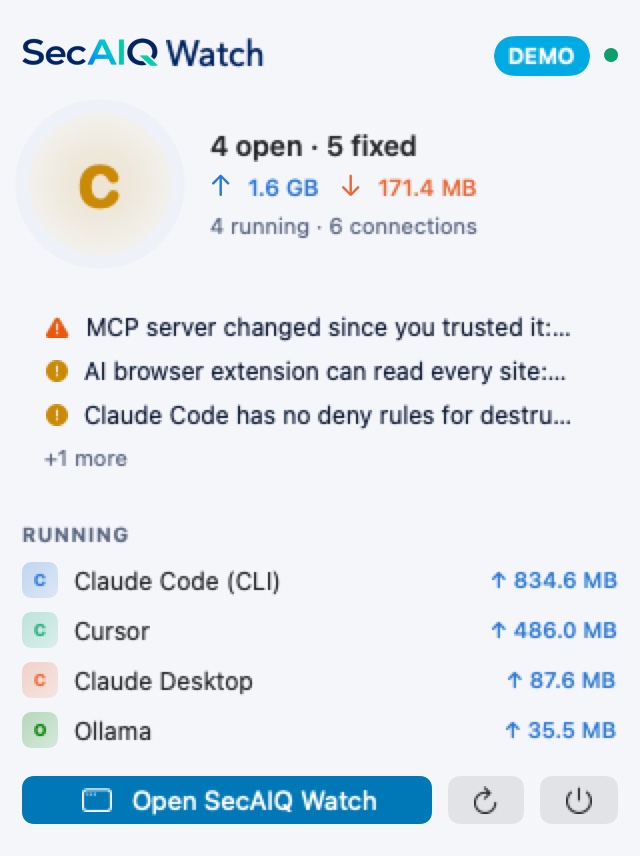
Private and read-only by design
- Monitoring and analysis run on your Mac. Nothing is sent to a cloud service.
- No account is needed to use the monitoring app.
- Your prompts, responses and file contents are never recorded.
- Monitoring never blocks, modifies or slows your AI tools. It only observes.
Honest about its limits
File access is sampled, so very short-lived activity can be missed, and a file seen open does not prove its content was read or sent. Network volumes come from the operating system's counters and are matched to a tool through its process tree, so unusual process layouts can be attributed imperfectly. Full Disk Access is optional: without it the app shows fewer permission details and tells you so. An approval setting shows what a tool is configured to do, not proof of how it behaves. SecAIQ Watch is a visibility tool, not endpoint↗ protection.
Try it
SecAIQ Watch for Mac runs on macOS 14 or later, on Apple silicon and Intel. Download, open and look. There is no PHP, terminal or setup to deal with.
Learn more and download SecAIQ Watch for Mac
The earlier open-source dashboard remains available for macOS, Linux and Windows: read the original post.