
Microsoft Teams Adds AI Phishing Detection That Reads Conversation Context
Microsoft plans to roll out AI-based phishing detection in Teams from early November 2026. It looks at conversation context to catch social engineering and impersonation, even when no malicious link or file is present.
A new layer of protection for workplace chat
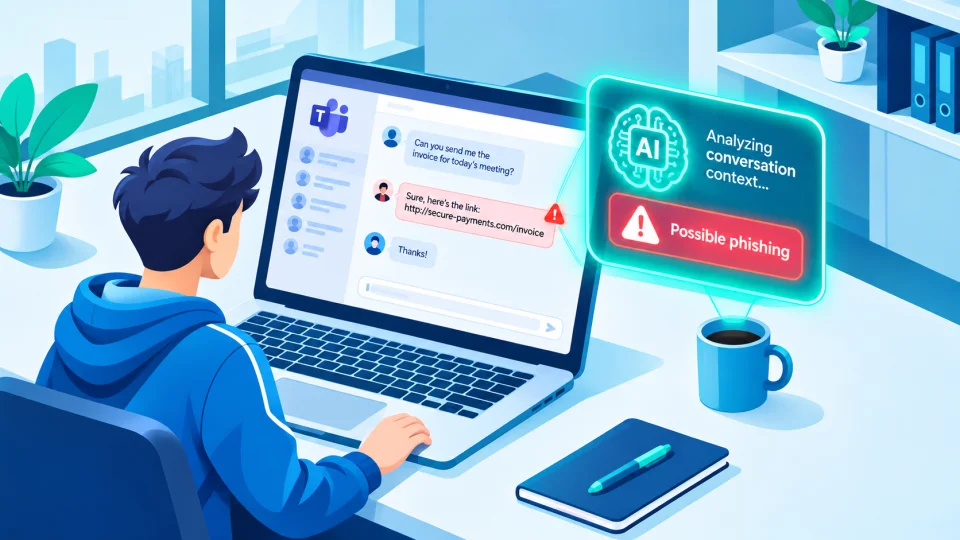
Microsoft has announced that Teams will gain AI-powered phishing↗ detection, with a targeted release starting in early November 2026. According to the company's roadmap entry, the feature is designed to spot phishing, social engineering↗, impersonation attempts and other deceptive intent in messages.
What sets it apart is its focus on context. Traditional filters often look for known warning signs such as malicious links, dangerous attachments or blocklisted senders. Many modern scams contain none of these. A message that simply asks a colleague to approve a payment, share a code or "quickly help" with an urgent task can be harmful without a single suspicious link. The new system analyzes the conversation itself to judge whether the behavior looks like an attempt to deceive.
Rollout timeline
- Targeted release: starts in early November 2026 and is expected to finish by mid-November.
- General availability: expected worldwide between early and mid-December 2026.
Reporting on the announcement indicates that administrators do not need to take action to turn the feature on. It was not clear from the source whether settings exist to adjust or disable it, or which licenses include it, so organizations should check Microsoft's documentation as the rollout reaches them.
Where it will focus
For most users, the detection is aimed at higher-risk situations, such as chats where an external person contacts someone for the first time. This is a common starting point for attackers, who often pose as a help desk, a supplier or a senior colleague to build trust before making a request.
What Microsoft says about data
Microsoft states that the capability is used only for security protection, and not for productivity features, summarization, advertising, user monitoring or other purposes. It also says customer message content is not retained by the detection system for model training or other secondary uses. These are the company's own statements, and privacy-conscious organizations may want to review them against their own compliance requirements.
Part of a wider push on Teams security
The announcement follows a series of other changes meant to make Teams harder to abuse, according to the source:
- Admins can block external users through the Defender portal, intended to limit abuse by cybercrime groups, including ransomware↗ gangs, who use Teams for social engineering.
- A meeting protection policy lets admins automatically block identified external bots from joining meetings.
- QR codes sent by external senders will be blurred.
- Users will be able to report suspicious guest invitations directly in Teams.
- Support is planned for third-party deepfake↗ detection and impersonation protection in meetings.
Why it matters
As email filtering has improved, attackers have shifted to other channels, including chat and collaboration tools. People tend to trust messages in workplace apps more than email, which makes them an attractive route for impersonation and fraud. Detection that understands the meaning and intent of a conversation addresses a gap that link and file scanning alone cannot cover.
AI detection is not perfect, though. It can miss clever scams and may sometimes flag legitimate messages, so it should support, not replace, good habits.
What you should do
- Stay cautious with first contact. Treat unexpected messages from people outside your organization with extra care, especially if they ask for money, credentials or codes.
- Verify through another channel. If a "colleague" makes an unusual or urgent request, confirm using a phone call or a known contact method.
- Report suspicious messages. Use your organization's reporting process so security teams can respond.
- For administrators: review external access settings, brief staff on the upcoming feature and warnings they may see, and consider the other external-user and bot controls available.
Source: BleepingComputer