
Maskink: A Free Tool That Redacts Logs and Scripts Before They Reach an AI
Pasting a log into an AI chat can also hand over IP addresses, usernames and passwords. Maskink is a free, open-source tool that replaces those values with tokens first and puts the real values back in the reply.
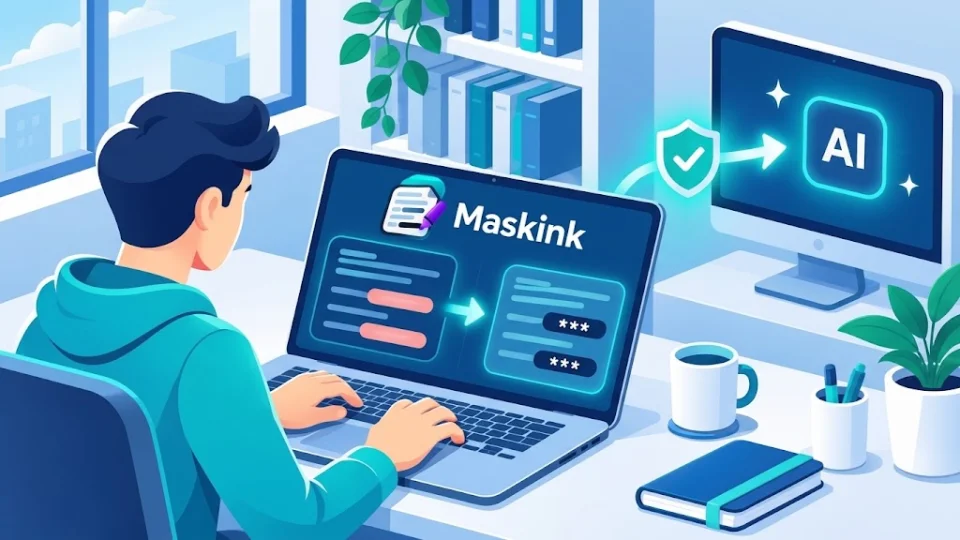
AI assistants are very good at reading a failing log or a broken script. The problem is what else comes along when you paste one in: internal IP addresses, server names, usernames, sometimes a password or an API token left in a config line. Once that text is sent, it is in someone else's system, under someone else's retention rules.
Maskink is a free, open-source tool for that moment. It replaces sensitive values with consistent tokens before the text reaches a model, then turns the tokens in the reply back into the real values for you.
Try the live demo: no account and nothing to install. Your text and settings stay in your browser, and the AI replies in the demo are simulated samples.
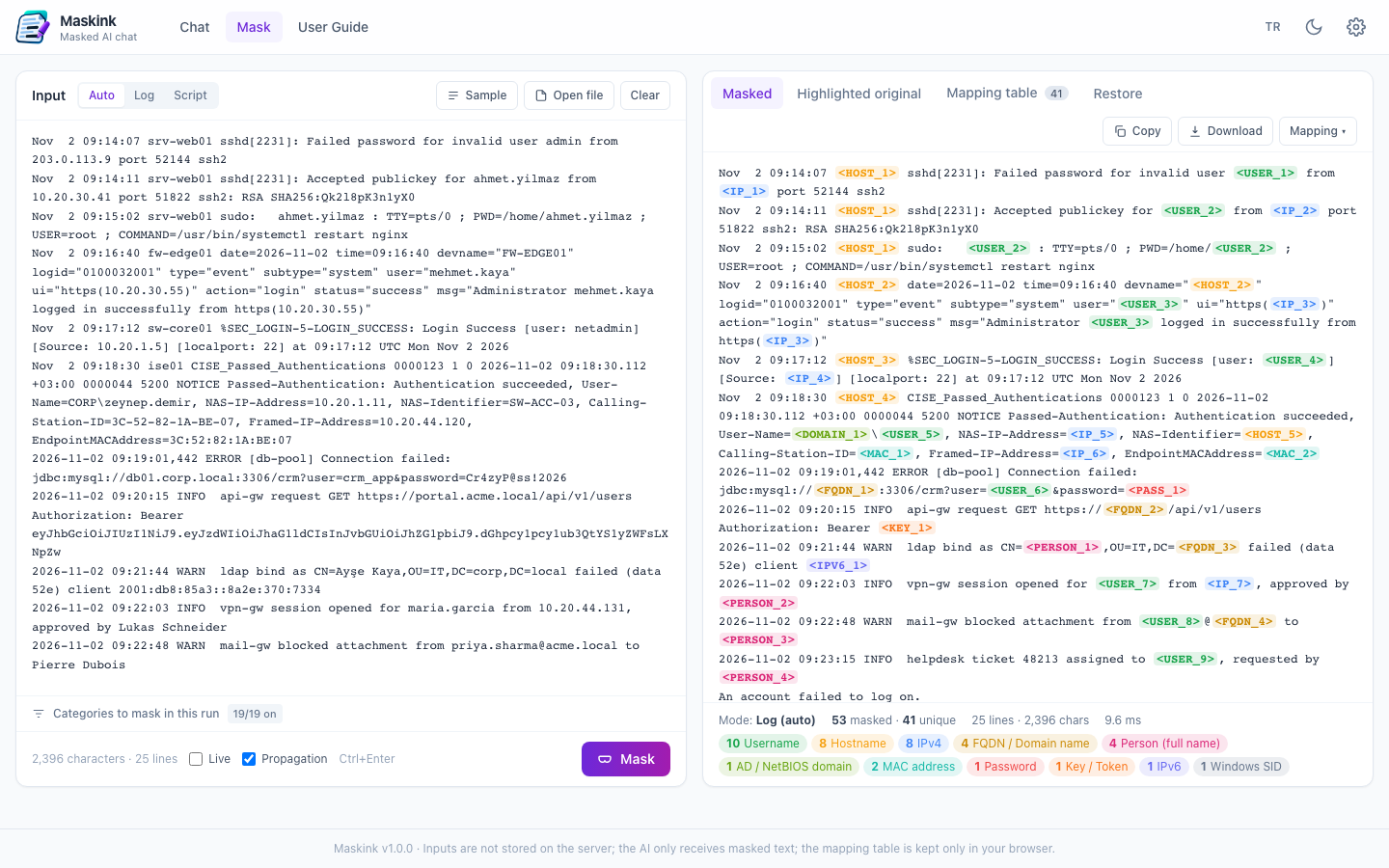
Original:  Accepted password for john.smith from 10.20.30.40 port 52144
           mysql -u app_user -p'S3cr3t!2024' -h db01.corp.local

Masked:    Accepted password for <USER_1> from <IP_1> port 52144
           mysql -u <USER_2> -p'<PASS_1>' -h <FQDN_1>
How it works
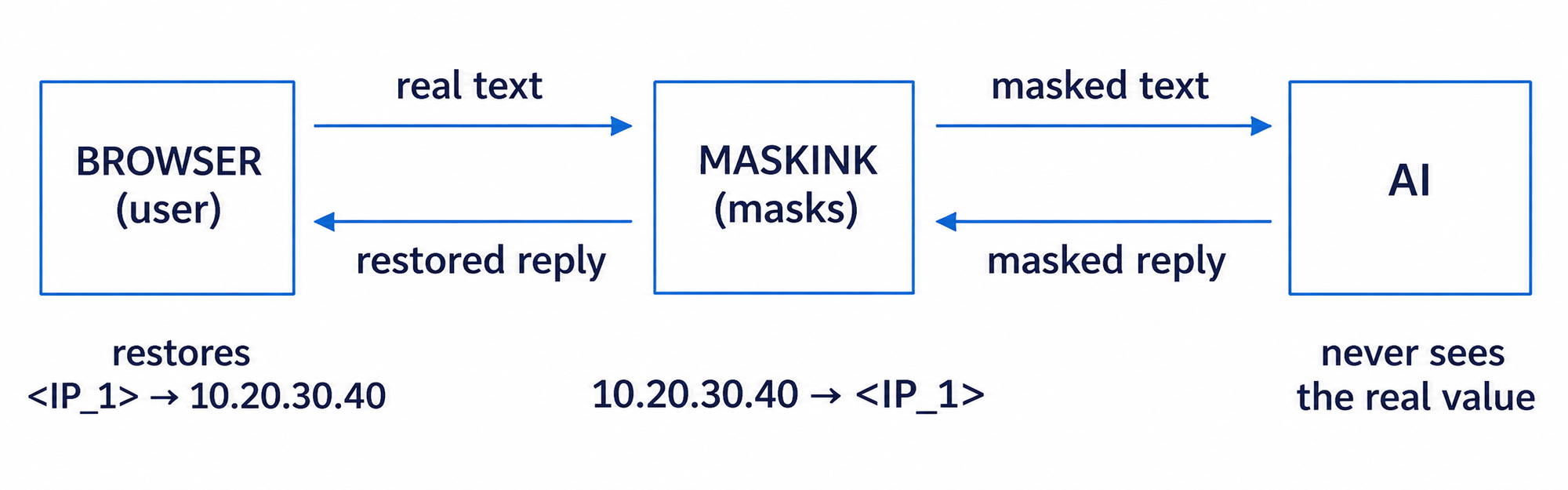 You run Maskink on your own server. The model only ever receives the masked text. The same value keeps the same token across the whole text and the whole chat, so the model can still reason about it: it can tell you that
<IP_1> failed three times without ever learning the address. The mapping between tokens and real values is kept in your browser.
What it catches
Maskink ships with 95 built-in rules in 19 categories, 91 of them on by default:
- Secrets: passwords, SNMP communities, PEM and SSH keys, JWTs, bearer tokens, and AWS, GitHub and Slack tokens.
- Network details: IPv4 and IPv6 addresses, MAC addresses, host names, domain names and Active Directory domains.
- People: usernames, full names, e-mail addresses and phone numbers.
- Numbers checked before masking: card numbers with Luhn, IBANs with mod-97, and Turkish ID numbers with their checksum.
- Your own terms: a dictionary for project names, customer names or anything else only your organization knows.
A value caught as a password in one place is masked everywhere else it appears, too. Lines that mention words like password or token but had nothing masked are flagged, so you know where to look.
 Chat, screenshots and your own apps
- Masked AI chat: connect an OpenAI-compatible endpoint↗, Ollama or a vLLM gateway. Only the masked history goes to the model, and chats stay in your browser.
- Screenshots: text in an image is read with OCR in the browser and sensitive areas are covered, with an editor for manual fixes.
- Your own tools: a JSON API lets other applications send text for masking and get back the masked text and the mapping.
- Rules you control: every rule can be edited, tested live against a sample, disabled or replaced, and you can add your own regex, key = value and dictionary rules.
What it does not do
Maskink works from rules, so it can miss a value that does not look like anything it knows, and it can mask something harmless. Use "Preview before sending" for anything truly sensitive and read what the AI will see. It also does not make a real password in a log safe: if one has been exposed, change it.
Get started
You need PHP 8.1 or newer, MySQL 8 or MariaDB 10.4, and Apache. There is no Composer and no setup wizard:
git clone https://github.com/Spaksu/maskink.git
cd maskink
cp config.example.php config.php
Enter your database details in config.php and open the app in your browser. The database, tables and rules are created on the first request. The interface is available in English and Turkish.
Maskink on GitHub (MIT licence) · Live demo